HP DesignJet Studio 36-in Printer
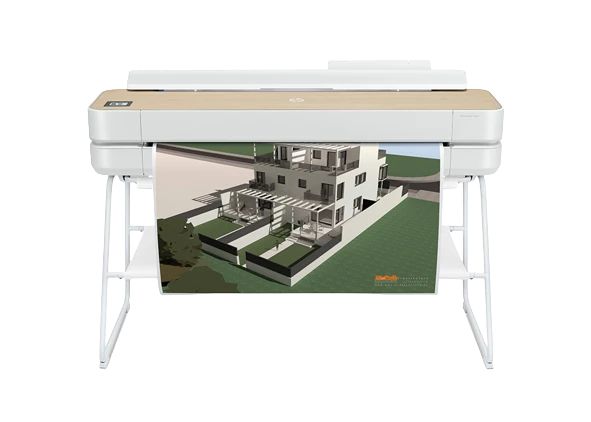
HP Designjet Studio 36" Printer is built for technical drawings, plans and presentation graphics needing a larger sheet size.
Key benefits
- 82 A1/hr — as fast as 25 seconds per A1 plot
- The first net carbon neutral HP DesignJet plotter
- Automated multi-size printing without manual media switching
- Prints up to 36 inches (914 mm) wide
- Sharp line work at up to 2,400 x 1,200 dpi
- Choice of 29, 38 or 80 ml ink cartridges
Features
- Warranty: One-year limited hardware warranty
- Release Date: Sep/2020
Print Performance
- Print Technology: HP Thermal Inkjet
- Print Speed: 25 sec/page on A1, 82 A1 prints per hour
- Print Resolution: Up to 2400 x 1200 optimised dpi
- Line Accuracy: ±0.1%
- Ink Drop Size: 5.5 pl (C, M, Y); 12 pl (K)
- Minimum Line Width: 0.02 mm
Ink & Colour
- Ink Type: Dye-based (C, M, Y); pigment-based (K)
- Ink Colours: 4: cyan, magenta, yellow, black
- Printheads: 1 printhead (cyan, magenta, yellow, black); 1376 nozzles
Media Handling
- Roll / Sheet Size: Roll: 279 to 914 mm. Sheet: auto sheet feeder 210 x 279 to 330 x 482 mm (A4, A3); manual feed 210 x 279 to 914 x 1897 mm (A4, A3, A2, A1, A0)
- Paper Weight / Thickness: 60 to 280 g/m² (roll/manual feed); 60 to 220 g/m² (auto sheet feeder); up to 0.3 mm thick
- Media Thickness: Up to 0.3 mm
- Media Handling: Sheet feed, roll feed, automatic sheet feeder, media bin, automatic horizontal cutter
- Applications: Line drawings; Presentations; Renderings
Scanning
- Built-in Scanner: No
Workflow
- Memory / Storage: 1 GB; no hard disk
- Connectivity: Gigabit Ethernet (1000Base-T), Hi-Speed USB 2.0, Wi-Fi 802.11a/b/g/n, Wi-Fi Direct
- Print Languages: HP-GL/2, HP-RTL, CALS G4, JPEG, URF
Physical
- Dimensions (W x D x H): 1317 x 555 x 932 mm (printer); shipping 1470 x 575 x 646 mm
- Weight: 41.7 kg (printer); shipping 62 kg
Compare with other models in the range
Frequently asked questions
Can I see it running before I buy?
Talk to us and we'll organise a demonstration on the machine you're considering, at our Demonstration Centre in Woking.
About the Demonstration Centre →
Who installs and looks after it?
We supply, install and support every machine we sell. A Service Plan keeps it running: manufacturer-trained engineers, genuine manufacturer parts and one number to call.
Can I spread the cost?
Most customers spread the cost over 36 or 60 months. We work with a finance provider, or a broker of your choice — speak to us and we will help you find the right option for your business.
Do you pass on manufacturer offers?
Yes. Every cashback and promotional offer on printers is passed from our partners to you.
Where do you work?
We supply and support businesses across London and South England.